
Speede Scooters
The app was made by a team of scooter lovers who want to provide the users with the best experience.
Seamlessly connect to your scooter, customize device settings, and track your rides with the Speedometer and Trip features.
Enjoy convenient control over scooter.You can find the iOS version of the app on App Store following this link: https://apps.apple.com/app/speede-scooters/id65032879621.
Sign in effortlessly with your Google account.
Your travel data will be securely stored and automatically loaded each time you log in.2.
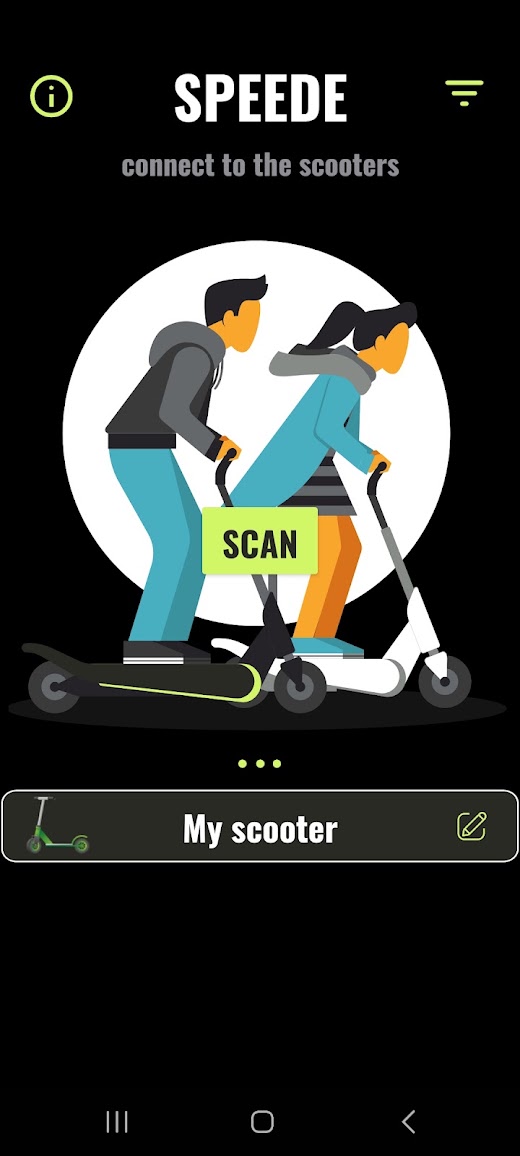
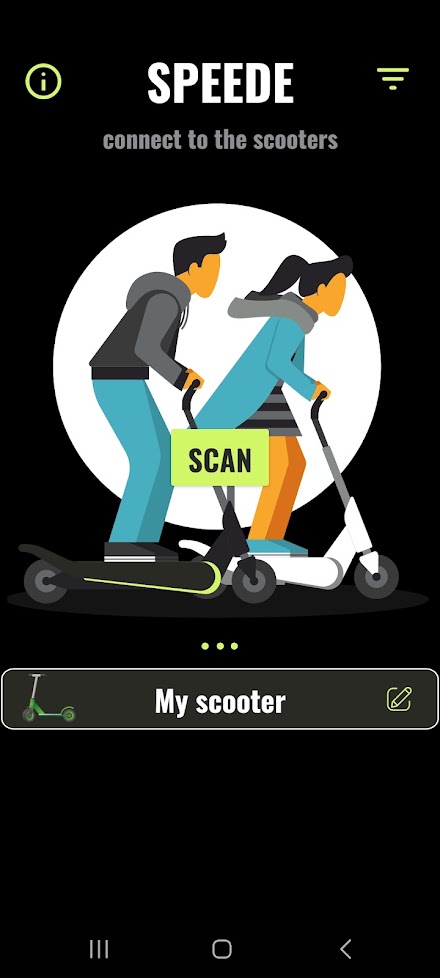
Scanning the devices around you and connecting to the scooter: When tapping on the SCAN button you should be able to see the nearby scooters available to connect.
When you tap on the scooter name you will be redirected to your scooter page3.
Changing the name of the scooter: To customize the name of your device, you have the ability to do so on the main screen by tapping the edit icon located next to the scooter name when it is detected nearby.
4.
Turning the scooter on/off: Once you are connected to your scooter, you can locate the power button in the upper right corner.
Tapping on this button will turn on the scooter.
Likewise, the same procedure applies in reverse when you wish to turn off the scooter.Please note that when you toggle the turn off button, the scooter may not immediately power down.
In most cases, you will observe two red flashes on the scooters head LED, indicating that the scooter is in the process of turning off.
However, in certain instances, the scooters LED may attempt to flash multiple times for a brief duration.
Please be advised that this behavior is normal, and the scooter will eventually power off after approximately one minute.5.
Speedometer: Showing the current scooter speed.
(You may see some delays of incoming speed measurements =>We are working on to provide the most accurate speed in real time in the next release)6.
Battery state visibility7.
Total distance traveled: The cumulative distance traveled on your scooter begins counting from the moment you install the application and start using it for the first time.
If you power off the scooter and then turn it back on the following day, the distance displayed will remain the same as when you last left it on the previous day.8.
Average and maximum speed: Those speeds are calculated for the whole usage of the application.9.
Trip feature: Feature allows you to track your personal trip by restarting the traveled distance while the total distance is unchanged.10.
Filter distance: Filter icon on the upper right corner of the main page represents the functionality to have an option to limit visibility of the closes devices by the range.
Set it to min to see the scooters within the range 1 meter, medium with 10 meters and the maximum to 15.11.
Settings icon: If you ever wondered if you can reset your previous speed or distance traveled with your scooter, now you are able to do it.
Once you connected to your scooter locate the setting icon just next to power button.
Just click on the icon and choose which value you want to reset and the app will do it for you.Thank you for the purchase, enjoy the time spent on the scooters and ride safe
😊Speede team.
About Speede Scooters
- Package name (App ID)
- com.kvidodev.sparrow
- Available on
- Google Play
- Price
- $11.99
- Developer
- Speede team
Looking for the Speede Scooters APK?
The safest way to get Speede Scooters (com.kvidodev.sparrow) on your Android device is to install it directly from Google Play — you'll always get the latest official version, automatic updates, and no risk of modified or infected APK files from third-party sites.

Social Features
Connect and share with friends and the community.
Gaming Features
Enjoy immersive gaming experience with various game modes.
Weather Features
Get accurate weather forecasts and real-time updates.
See Speede Scooters in Action


Frequently Asked Questions
Is Speede Scooters free?
Speede Scooters is a paid app — it costs $11.99 on Google Play. You pay once through your Google account and can install it on your Android devices.
How do I install Speede Scooters on Android?
Open Google Play on your Android phone or tablet, search for Speede Scooters by Speede team or tap the Google Play button on this page, then tap Install. The app downloads and installs automatically.
What is com.kvidodev.sparrow?
com.kvidodev.sparrow is the App ID (package name) of Speede Scooters on Google Play. Every Android app has a unique package name, and it is the safest way to verify you are installing the official app.
Is Speede Scooters safe to download?
Installing Speede Scooters from Google Play is the safest option: you get the official version published by Speede team, verified by Google Play Protect, with automatic updates. Avoid APK files from unofficial third-party sites.

Get Speede Scooters Today
Speede Scooters for Android — $11.99 on Google Play.
Compatible with Android phones and tablets — available on Google Play.
Ask AI about this app
Get instant answers about features, tips and more from popular AI assistants.